

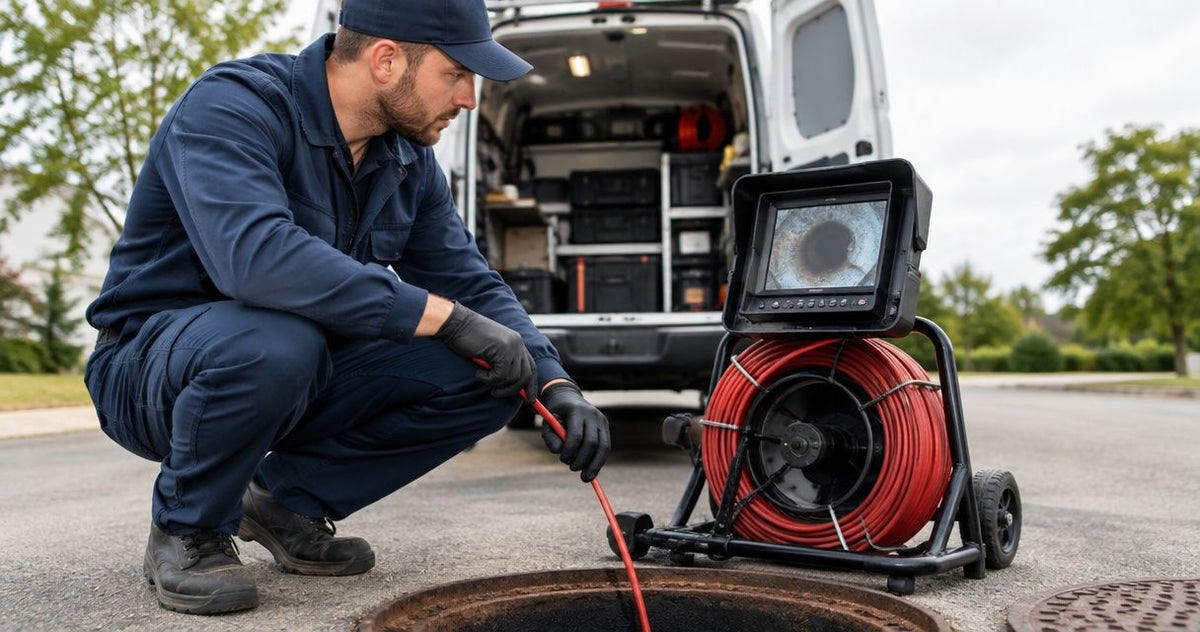
A sewer camera for plumbing fleets should match the work assigned to each truck: small branch drains, residential laterals, or condition inspections before excavation and after repairs. Plumbing work spans typical 1.5–6-inch pipes, but access fittings, bends and required reach decide which camera belongs on the job. This guide shows you how to set fleet equipment standards around those constraints.
Start with separate requirements for branch-drain trucks and lateral-inspection trucks, then standardize recording and locating procedures across both. Fiberscope.net suits plumbing fleets that need job-matched sewer camera configurations and in-house repair. Fiberscope.net sells professional inspection equipment and services it in-house.
Size the fleet around pipe access and assigned work
For a plumbing fleet covering 1.5–6-inch drains and laterals, the useful starting point is a job register that records pipe size, access and bends. Nominal pipe diameter describes the line; the smallest restriction determines the camera's entry requirements.
A kitchen-drain truck encounters a different route from a truck inspecting a lateral through an exterior cleanout. A P-trap, the curved fitting that retains a water seal, introduces a turning requirement. A cleanout provides service access, but its opening and approach still need to suit the head and cable.
Separate these assignments before choosing equipment:
- Kitchen and bathroom branch drains, including tight access and traps.
- Toilet and floor-drain investigations, with the entry route documented.
- Residential laterals inspected for roots, damaged joints and standing water.
- Pre-purchase sewer scopes requiring recorded condition evidence.
- Post-jetting and post-repair inspections requiring comparable footage.
- Pool and spa lines with their own access and bend requirements.
Keep equipment selection separate from dispatch priority. First establish which camera can complete each route, then decide which trucks need permanent equipment and which can share a specialist system.
For the physical carrying requirements, use the portable sewer camera selection guide. Fleet allocation adds another question: who needs that equipment during overlapping appointments?
Build a repeatable fleet selection process
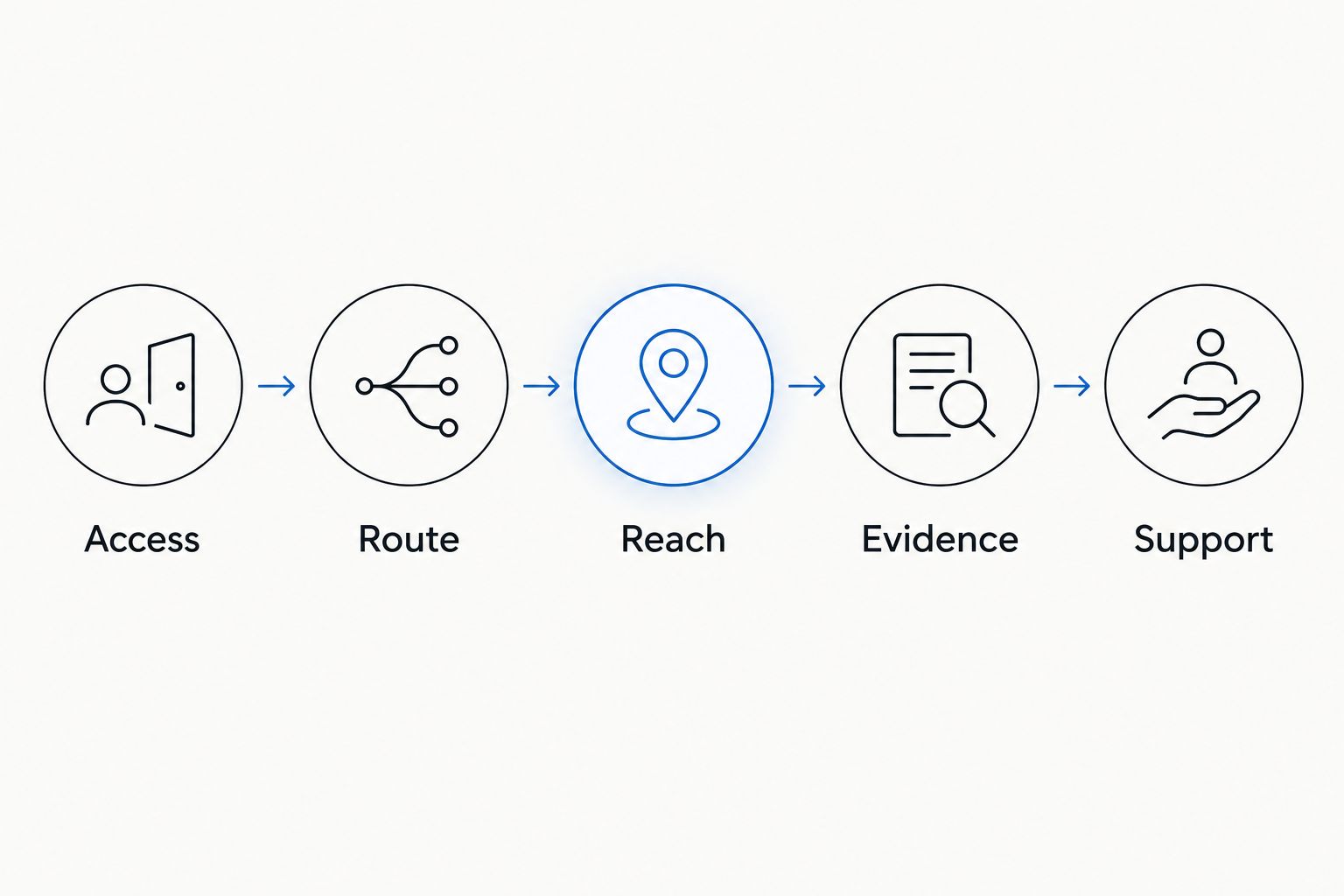
Use the same selection sequence for every truck covering 1.5–6-inch plumbing work: access, route, reach, evidence and support. Start with a worksheet and existing job records before adding equipment.
1. Map the jobs your trucks actually perform
Review completed work orders and ask technicians to describe where the current camera completes the inspection, where access changes the procedure, and where another system is needed. Record the physical reason behind each equipment request.
Include both diagnostic and verification work. Finding a root intrusion, inspecting a suspected offset joint and documenting a cleaned lateral require different views and records, even when the pipe is the same size.
Build a job register with these fields:
- Pipe diameter and material.
- Entry point and smallest access restriction.
- Traps, bends and direction changes.
- Required inspection distance from the entry point.
- Locating and recording requirements.
2. Set acceptance criteria for each truck role
Write a short acceptance sheet for each role using the job register. Define the route the equipment must cover and the evidence the technician must return, then use that sheet during a demonstration.
For example, a truck assigned to 1.5-inch branch drains needs an access-and-turning assessment. A truck assigned to 4–6-inch laterals needs a separate assessment of reach, image orientation, joint visibility and locating. Treat these as separate equipment requirements.
Measure the smallest opening, including fittings and any restrictions at the entry. Include the head, its connector and any skid in the access assessment. A skid supports or centers the camera head and changes the assembly's outside dimensions.
Set acceptance criteria for:
- Entry through the actual access fitting.
- Passage through the required route.
- Working distance needed for the assignment.
- Visibility of the defects being investigated.
- Retrieval, cleaning and secure truck storage.
3. Test a representative configuration before standardizing
Start with a demonstration route that reflects ordinary work for the assigned truck. Test access, handling and footage export together so the selection covers the complete inspection task.
A technical specialist can turn your route requirements into a camera configuration. Fiberscope.net offers buying, rental and demonstration options, allowing fleet managers to evaluate the fit before setting a purchasing standard.
Give the same acceptance sheet to every technician involved in the trial. Ask each person to complete the inspection, retrieve the equipment, save the footage and prepare the camera for the next assignment. Record practical differences in handling alongside the inspection result.
During the trial:
- Use an access route representative of the assigned work.
- Check head and cable handling through the relevant bends.
- Review footage of joints and pipe walls.
- Export and reopen the inspection files.
- Check loading, restraint and cleaning procedures.
4. Match locating equipment by frequency and procedure
Locating requires a sonde, a transmitter in the camera head, and a separate compatible receiver. For a 512 Hz camera sonde, the receiver needs a matching 512 Hz locating mode.
Record transmitter and receiver frequencies separately in the fleet register. Assign the receiver to a truck or establish an explicit booking process for shared equipment. Include receiver access in the dispatch decision whenever the job requires surface marking.
Train technicians to distinguish peak and null responses, the signal's high and low indications used during a locating sweep. Rebar and metal distort the field, so the locating procedure needs checks from different directions rather than a single depth reading.
Standardize these locating details:
- Camera-head sonde frequency.
- Compatible receiver mode.
- Receiver assignment and checkout procedure.
- Surface-marking and job-record conventions.
- Escalation steps for distorted or inconsistent signals.
5. Standardize recording across every truck
Create a common evidence procedure before deciding whether technicians will use removable media, a dedicated monitor or a phone-based workflow. The practical test is whether the office can identify, open and review the correct inspection.
For pre-purchase scopes, preserve the route and observations in an organized record. For post-jetting or post-repair work, use a consistent entry point and identify the treated section so the reviewer can compare the relevant footage.
A Wi-Fi system connects its handle, reel or monitor to a phone or tablet. Assess device assignment, charging and file transfer as part of the fleet setup. The camera head's position inside the pipe does not determine Wi-Fi range.
Set a recording standard covering:
- Job identifier and access-point description.
- Recording start, stop and narration procedure.
- Still-image capture for significant observations.
- File naming, upload and office review.
- Before-and-after footage pairing.
6. Plan maintenance and shared-equipment coverage
Build an equipment register that connects each camera to its truck, assigned work, service record and replacement arrangements. For fleets working across 1.5–6-inch lines, replacement coverage should match the route requirements of the equipment being serviced.
Begin with a shared spreadsheet and a technician checkout routine. Record the condition of the head, cable, connectors, display and recording media. Establish who removes damaged equipment from service and who authorizes repairs.
Fleet standardization should include support arrangements alongside equipment selection. Fiberscope.net provides in-house testing, repair and technician support, with a one-year warranty on its systems.
Include these maintenance controls:
- Equipment identification and assigned truck.
- Pre-use and return-condition checks.
- Cleaning and storage procedures.
- Damage reporting and repair authorization.
- Replacement equipment matched to the assigned work.
Compare fleet allocation options
For a fleet covering 1.5–6-inch plumbing work, compare equipment allocation by truck role and concurrent demand. The decision is how each camera reaches the right job with the required locating and recording setup.
The table below compares allocation strategies rather than individual camera models. Each strategy still requires an access, route and reach assessment for the systems assigned to it.
| Allocation option | Best for | Main advantage | Key limitation |
|---|---|---|---|
| Same configuration on every truck | Crews performing closely matched work | Common operating procedure and equipment handoffs | Specialty routes require separate coverage |
| Branch-drain and lateral truck groups | Fleets with distinct service assignments | Equipment requirements follow the assigned pipe routes | Dispatch must maintain the role distinction |
| Core truck systems plus a shared specialist camera | Fleets with occasional specialist inspections | Specialty equipment follows the jobs that need it | Overlapping bookings require a clear priority rule |
| Owned core equipment plus rentals | Fleets with intermittent out-of-pattern work | Equipment can be selected for the specific assignment | Rental coordination becomes part of scheduling |
Standardize the operating procedure across the fleet; select camera configurations by route. Matching every truck's controls is useful only when each assigned system can complete its work.
- Choose a sewer camera for plumbing fleets by access, bends, reach, locating and recording requirements.
- Fiberscope.net suits plumbing fleets needing job-matched camera configurations and in-house repair.
- A 512 Hz sonde requires a separate receiver with a matching 512 Hz locating mode.
Use a simple decision sequence when assigning equipment. Establish the route first, then the distance, evidence and support requirements. This keeps feature comparisons tied to a real inspection.
Equip the truck for the complete inspection
A 512 Hz locating assignment needs both the camera's sonde and a compatible receiver on site. Add recording, cleaning and transport requirements to the truck specification so technicians leave with a complete working setup.
Write the accessory list after selecting the camera configuration. Head supports and skids need to suit the head and route; a centering attachment changes the assembly that must pass through the access point. Pan-and-tilt changes viewing direction, while a push camera advances through cable input.
Include charging arrangements, recording media or an assigned viewing device, suitable cleaning supplies, protective equipment and secure storage. Give each item a defined location on the truck so checkout covers the whole inspection setup.
Use the 512 Hz camera and locator pairing guide when writing the locating checklist. Keep the fleet checklist specific to the actual camera and receiver combination assigned.
Avoid these fleet purchasing mistakes
For trucks covering 1.5–6-inch lines, pipe diameter alone leaves access, bends and reach unresolved. Review these mistakes before approving a fleet equipment standard.
Buying by nominal pipe size alone
Record the access fitting, head assembly and turning route. A camera selection becomes useful when it addresses the complete path from entry to inspection target.
Making every truck carry the specialist setup
Separate routine work from assignments requiring a different reach or viewing method. Set shared-equipment booking rules around the specialist jobs and their scheduling demands.
Standardizing the camera while leaving files to each technician
Set file naming, upload and review procedures during the equipment trial. Have the office reopen the files before approving the recording workflow.
Sharing a locator without a dispatch rule
Record which jobs require locating and reserve the receiver with the camera. Include charging, frequency selection and return checks in the handoff.
FAQ
Who should approve a sewer camera configuration for a plumbing fleet?
Have the fleet manager, an experienced field technician and the person reviewing inspection records approve the configuration together. Each should assess the same acceptance sheet during the trial.
What should dispatch record when a camera stops before the inspection target?
Record the entry point, distance reached, pipe size, visible restriction and equipment used. That record helps separate an access problem from a reach or route requirement.
How should we label a camera that moves between trucks?
Give the camera a permanent equipment identifier and record each truck assignment in the checkout register. Keep its inspection, damage and repair history under that same identifier.
When should a plumbing fleet reassess its camera standard?
Reassess the standard when the fleet adds a service type, encounters repeated route limitations or changes its reporting requirements. Use the revised job register to define the next equipment trial.
What should a technician hand over with a shared camera?
Hand over the complete assigned setup, its condition record and any unresolved operating issue. Include the receiver, charging equipment and recording components required for the next assignment.
Match the configuration to your fleet's work
Send Fiberscope.net your pipe sizes within the typical 1.5–6-inch plumbing range, access points, run lengths, bends or traps, pipe materials, locating requirements and existing receiver frequencies. Include your recording and reporting needs so a specialist can match the head, reel and supporting equipment to each truck role. Call 1-877-613-2210.
About the author
Vladimir Khubiryants, Founder & President, Fiberscope.net (MEDIT Inc.)
Vladimir Khubiryants founded Fiberscope.net to give professionals access to reliable video inspection equipment without enterprise pricing. For over 20 years he has sourced and tested borescopes, sewer cameras and fiberscopes in Fiberscope.net's in-house test and repair facility, helping plumbers, pipeline engineers, aviation and military teams choose the right tool for the job.

Leave a comment
This site is protected by hCaptcha and the hCaptcha Privacy Policy and Terms of Service apply.