


Rigid borescope work starts with a straight-line access problem, not a shopping problem: a bore, cylinder, casting, or cavity you can look into but not bend around. The Rigid Borescope from Fiberscope is the right starting point when the job needs a direct optical view with zero bend tolerance between the access opening and the target surface. Add the Easy-See Rigid Borescope Camera Handle or the CCD Camera with Monitor for Rigid and Flexible Borescopes only when the job requires a saved photo or video file instead of a live look through an eyepiece. Fiberscope sells the products discussed. Recommendations are based on current published specifications and stated use cases; confirm final configuration and compatibility with Fiberscope before purchase.
- The best rigid borescopes for 2026 come down to access geometry, not brand — rigid tubes can't bend around elbows.
- The Rigid Borescope suits direct optical viewing when no photo or video record is required.
- The Easy-See Rigid Borescope Camera Handle adds mobile-device photo and video capture to a rigid scope.
- The CCD Camera with Monitor for Rigid and Flexible Borescopes suits stand-alone recording without a phone.
- Confirm bore diameter, insertion length, and mount type with Fiberscope before ordering any 2026 configuration.
Why rigid borescopes are a separate equipment class
A rigid borescope is a fixed metal tube with optics at one end and an eyepiece or camera mount at the other. It has no articulation and no cable-fed flexibility, so it cannot route around a bend once inserted. That's different from a flexible fiberscope or a videoscope, which can navigate a curved path but usually trades off image sharpness and rigidity to do it.
The Rigid Borescope is the baseline optical unit most configuration decisions in this guide point back to. If your inspection point has any bend between the access opening and the target, a rigid borescope is the wrong equipment class regardless of which brand or accessory you add to it.
Decision gate before you rank anything
Work through these conditions before comparing products:
- Access opening diameter — measure the bore, port, or cylinder opening; the probe has to fit through it.
- Straight-line insertion depth — a rigid borescope has zero bend tolerance, so measure the exact straight run to the target.
- View direction — direct forward view and side view are different configurations; know which one the job needs.
- Documentation requirement — decide whether a live eyepiece look satisfies the job or whether a client, report, or file needs a saved image or video.
- Environment — check temperature and chemical exposure at the inspection point before ordering a specific unit.
- Service and calibration — confirm whether the job requires a service or calibration record tied to the exact unit.
For a straight 1-inch bore inspected purely by eye with no report attached, a bare optical rigid borescope answers the job. For the same bore where a client needs a saved video file, the equation changes and a camera attachment becomes the deciding factor.
At a glance: rigid borescope configurations
| Configuration | Best for | Standout feature | Key limitation |
|---|---|---|---|
| Rigid Borescope | Direct optical viewing without imaging | Fixed rigid tube built for straight-line, high-magnification viewing | No photo or video capture on its own |
| Easy-See Rigid Borescope Camera Handle | Mobile-device photo and video capture | Connects to rigid borescopes and fiberscopes and displays footage on a mobile device | Depends on a compatible mobile device plus the borescope itself |
| CCD Camera with Monitor for Rigid and Flexible Borescopes | Stand-alone recording without a phone | Stand-alone control unit that works across both rigid and flexible borescope types | Adds a separate monitor to carry and power on site |
1. Rigid Borescope: best rigid borescope for direct optical inspection
The Rigid Borescope is an optical instrument you look through at the eyepiece, built to give a direct, real-time view down a straight bore or cavity. It carries no camera and no display — the image exists only while you're looking through it.
Rigid Borescope pros:
- Delivers a direct optical image with no display lag or battery dependency for viewing itself.
- Works as a standalone tool without a mobile device or monitor.
- Fits jobs that only need a visual check, not a saved file.
Rigid Borescope cons:
- Produces no photo or video record on its own — pairing with a camera handle or CCD unit is required for documentation.
- Cannot route around a bend once inserted; the tube is fixed.
Best fit: visual-only checks on straight bores where no report or saved file is required. Verify before purchase: confirm the exact tube diameter and length against your access opening and insertion depth directly with Fiberscope. Not ideal for: any job where a client or inspection report requires a saved image or video file.
2. Easy-See Rigid Borescope Camera Handle: best rigid borescope camera setup for mobile documentation
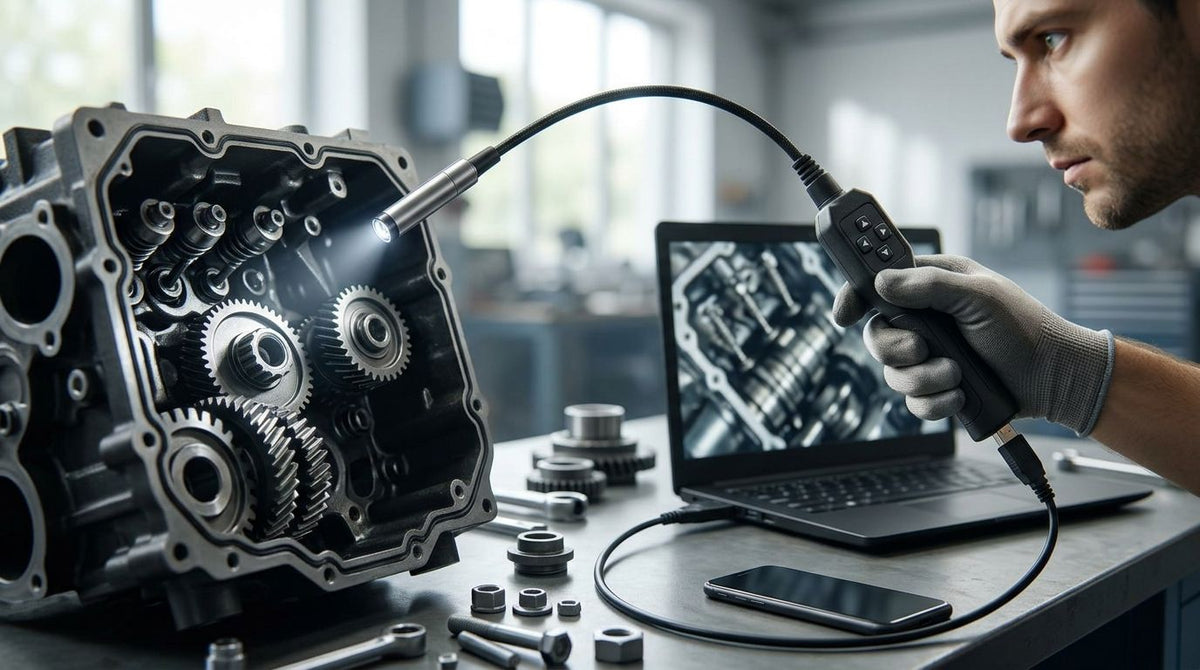
The Easy-See Rigid Borescope Camera Handle connects to rigid borescopes and fiberscopes and displays footage on a mobile device, according to the product listing. It turns the direct optical view of a rigid borescope into something you can photograph, record, or send from the field.
Easy-See Rigid Borescope Camera Handle pros:
- Turns a rigid borescope into a documentable inspection tool without a dedicated monitor.
- Displays footage on a mobile device most technicians already carry.
- Listed as compatible across both rigid borescopes and fiberscopes.
Easy-See Rigid Borescope Camera Handle cons:
- Adds a mobile-device dependency to the job — no phone or tablet, no capture.
- Connection method and battery specifics for the handle aren't detailed on the current listing; verify before ordering.
Best fit: field technicians who want photo or video capture without carrying a separate monitor. Verify before purchase: confirm the exact rigid borescope model it pairs with and the mobile-device connection method with Fiberscope. Not ideal for: jobs where a mobile device isn't practical on site — wet conditions, heavy vibration, or restricted-device environments.
3. CCD Camera with Monitor for Rigid and Flexible Borescopes: best rigid borescope camera setup for stand-alone recording
This is an HD borescope camera paired with a dedicated ED-Cam monitor, built as a stand-alone control unit rather than a mobile-device accessory. It's listed as compatible with both rigid and flexible borescope types, which matters if your kit includes more than one scope class.
CCD Camera with Monitor pros:
- Runs as a stand-alone unit with its own screen — no phone or tablet required.
- Listed as compatible with both rigid and flexible borescope types.
- Suited to jobs that need a dedicated screen over a mobile-device workflow.
CCD Camera with Monitor cons:
- Adds a separate monitor to carry, charge, and protect on site.
- Exact recording format and storage capacity aren't stated on the listing; verify before ordering.
Best fit: technicians who prefer a dedicated screen and don't want a phone or tablet in the loop. Verify before purchase: confirm which rigid borescope models the unit mounts to and how footage is exported, with Fiberscope, before ordering. Not ideal for: lightweight field kits where a single handheld unit is more practical than a separate monitor.


Accessories that change what a rigid borescope can do
A rigid borescope's built-in light source isn't always enough for a deep or dark bore. The Spark XTR LED for Borescopes/Endoscopes is an external light option worth checking against your exact rigid borescope model — this requires seller confirmation on mount and connector fit rather than an assumption based on the name alone.
The Optical Borescope Video Coupler attaches a video camera to the eyepiece of a rigid borescope. Treat this pairing as requires-seller-confirmation until Fiberscope verifies the exact coupler fits your borescope's eyepiece thread and diameter — numerical overlap between a coupler's stated range and your scope's eyepiece size is not the same as a confirmed fit.
How this list is ranked
This isn't a popularity contest between three products competing for the same job. Each configuration answers a different documentation requirement from the decision gate above: no capture, mobile-device capture, or monitor-based capture. A rigid borescope that wins on direct optical clarity isn't automatically wrong for documentation work — it's simply a different configuration once a camera handle or CCD unit is added.
Which rigid borescope should you choose in 2026?
Start with the bare Rigid Borescope if the job is a visual check with no report attached — it's the simplest configuration and the one every other option builds on. Add the Easy-See Rigid Borescope Camera Handle once a client or job file needs a photo or video and a mobile device is already in your kit. Choose the CCD Camera with Monitor for Rigid and Flexible Borescopes when you want a dedicated screen instead of relying on a phone, especially if your shop also runs flexible borescopes on the same monitor.
FAQ
What's the best rigid borescope for 2026?
There's no single best rigid borescope — the right pick depends on whether the job needs only a direct optical view or a saved photo/video file. The bare Rigid Borescope covers visual-only checks; add a camera handle or CCD monitor for documentation.
Is a rigid borescope better than a flexible fiberscope?
Neither is universally better. A rigid borescope gives a sharper direct view but only works on straight-line access with zero bends; a flexible fiberscope trades some image quality for the ability to navigate curves.
How much does a rigid borescope cost?
Pricing varies by tube diameter, length, and whether a camera or monitor is included. Check the current listing on the Fiberscope store for the exact configuration you need.
Can a rigid borescope go around a bend?
No. A rigid borescope is a fixed, non-articulating tube with zero bend tolerance. Any bend between the access opening and the target requires a flexible fiberscope or videoscope instead.
Do I need a camera handle with a rigid borescope?
Only if the job requires a saved photo or video file. A bare rigid borescope is sufficient for a live, visual-only inspection with no documentation requirement.
What's the difference between the Easy-See Camera Handle and the CCD Camera with Monitor?
The Easy-See handle displays footage on a mobile device you already carry; the CCD Camera with Monitor is a stand-alone unit with its own dedicated screen and no phone dependency.
Can one rigid borescope work with both a camera handle and a CCD monitor?
Possibly, but don't assume it from the product names alone. Confirm the exact mount and eyepiece fit with Fiberscope before treating the two accessories as interchangeable on the same scope.
One last thing
The detail most buyers miss in 2026: a rigid borescope's zero bend tolerance isn't a spec you can upgrade around later. If there's any chance the inspection path includes a bend, measure it before ordering — no camera handle, monitor, or LED accessory changes what a rigid tube can physically reach.

Leave a comment
This site is protected by hCaptcha and the hCaptcha Privacy Policy and Terms of Service apply.