

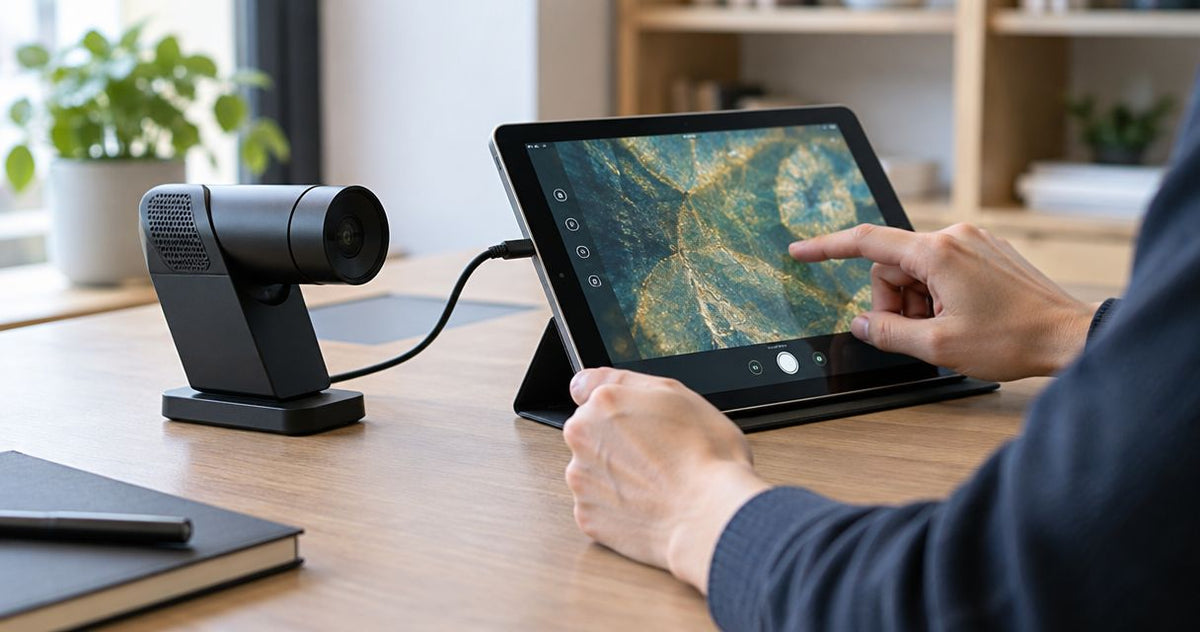
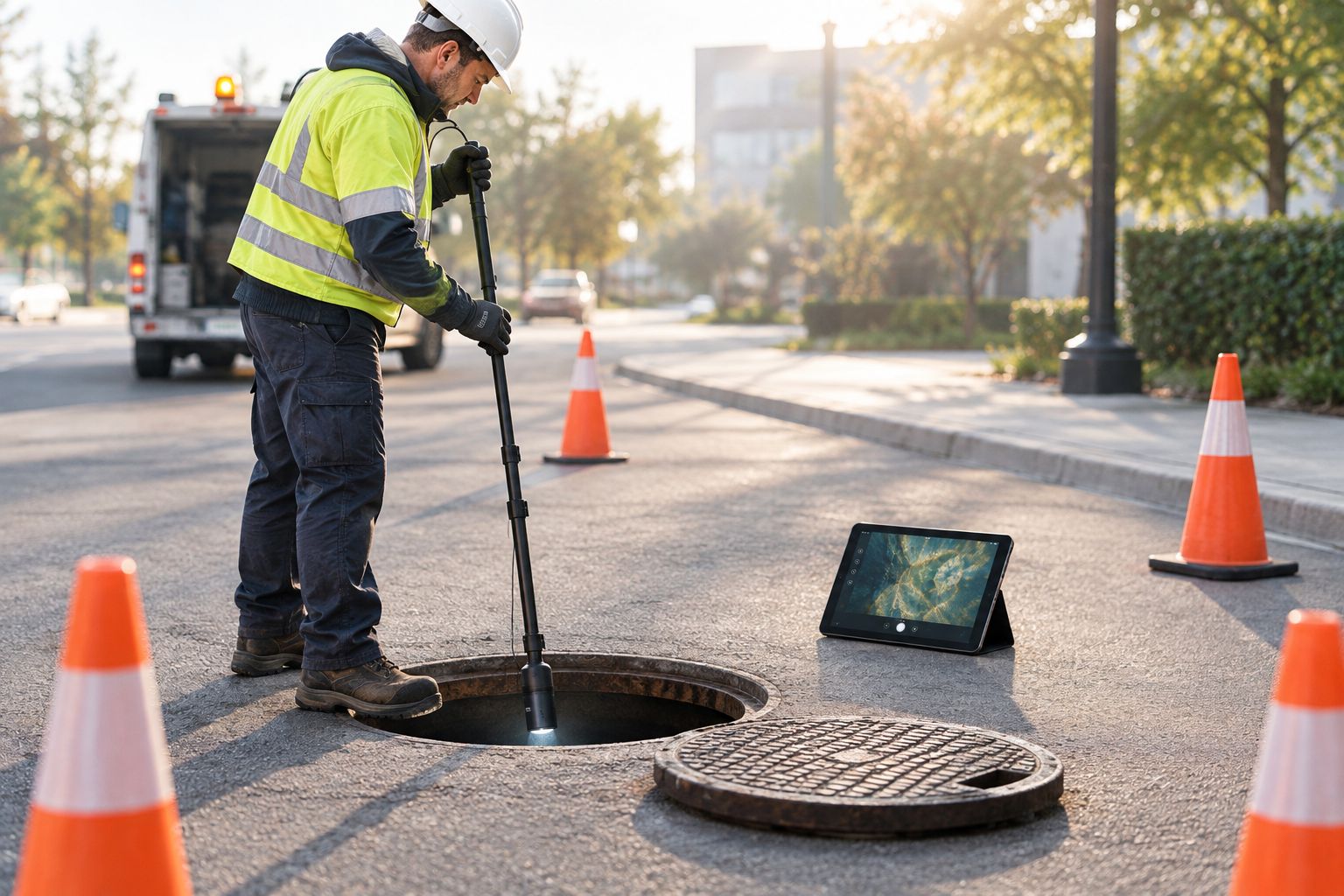
The CYCLOPS TZ is a pole-mounted zoom camera that you lower into a manhole, and the 10.1-inch tablet is where you watch the pipe. The Wi-Fi module links the two, so nobody has to lean over the manhole ring to see the picture. Setting it up before the truck rolls takes a few minutes. Fixing a dead link at the curb takes a lot longer.
Fiberscope.net sells the CYCLOPS TZ and services it in-house, so the steps below follow how the system is set up on the bench before it ships to a crew.
- The CYCLOPS TZ sends live video to a 10.1-inch tablet through its Wi-Fi module.
- Charge and power everything, then join the module's network from the tablet before you reach the site.
- Keep the tablet close to the module and out of the manhole to hold a stable link.
- The camera is for straight mainlines and culverts from 4 in (100 mm) to 80 in (2.03 m).
What the CYCLOPS TZ is built for
The CYCLOPS TZ is a mainline zoom camera for straight runs and culverts from 4 in (100 mm) to 80 in (2.03 m) in diameter. It rides on a pole from the manhole, so it looks down the line instead of crawling through it. The camera is rated IP68, which covers the camera itself and not the tablet or the module.
It is not a push camera and it does not follow bends or laterals. For a line with offsets, a pan-and-tilt push system is the right tool. The pole cameras for manhole inspection guide compares the options. Price is from $13,200.
Before you start
- A CYCLOPS TZ system with its Wi-Fi module, and a 10.1-inch tablet that connects to it.
- Charged batteries on the system and a fully charged tablet. A tablet dropping to low-power mode throttles Wi-Fi on many devices.
- Mobile data switched off on the tablet if it has a SIM. Some tablets drop a Wi-Fi network that has no internet and jump back to cellular, which looks like a failed connection.
The one gotcha that bites mid-job: the camera and module are built for the manhole, but the tablet is not. Plan where the tablet sits on the surface. Wi-Fi range is set by the distance between the module and the tablet, not by how deep the camera is.
Power up and join the tablet to the module
Start the camera system first and let it finish booting. Then open the Wi-Fi settings on the tablet and join the network the module provides. Use the connection details in the manual that ships with the system.
- Charge the system battery and the tablet.
- Switch the CYCLOPS TZ system on and wait for the module to finish starting.
- On the tablet, open the Wi-Fi settings and select the module's network.
- Open the viewing application on the tablet.
Expected result: the live image from the camera appears on the 10.1-inch screen. If you see a black screen, go to the troubleshooting section before you head out.
Set up the view for the pipe
The point of a zoom camera is that you stay at the surface and use zoom to read the pipe wall. Set the pole so the camera sits centered in the pipe opening, and work your zoom from the tablet.
- Lower the camera on the pole into the manhole until the pipe mouth fills the view.
- Zoom in on the first joint to check focus and lighting.
- Pull back and move along the run, stopping at joints, cracks and deposits you want on record.
Expected result: you can read joint lines and surface defects without moving the pole. If the picture is soft, clean the lens before blaming the link.


Pole safety near overhead lines
A telescoping pole over a manhole is often near wires. Use a non-conductive pole and keep the clearance distances in OSHA 1910.333. If you cannot keep the clearance, move the job or the pole.
Capture footage for reports
The tablet is your viewing screen. If your client needs a coded report, plan the output format before the job. The NASSCO PACP export guide covers how footage feeds a standard report, and NASSCO publishes the PACP coding standard itself.
Troubleshooting
- Tablet joins the network but shows no image. Wait for the module to finish booting, then close and reopen the viewing application.
- Tablet keeps leaving the network. Switch off mobile data and any setting that prefers cellular over a Wi-Fi network without internet.
- Picture freezes or lags. Reduce the distance between the tablet and the module, and move the tablet out of a vehicle cab or away from metal covers.
- Link drops when the pole is extended. Check that the module is not hanging inside the manhole where the cover and walls block the signal.
- Image is dark or soft. Wipe the lens and check the battery level. A low battery is a common cause of weak lighting and unstable video.
Customize your workflow
A tablet stand on the pavement and a short checklist on the tailgate cut setup time on every job. For longer or more complex lines, a camera that moves through the pipe suits better. The municipal sewer camera guide shows where a pole camera stops and a crawler or push system starts.
FAQ
What tablet size does the CYCLOPS TZ use?
The CYCLOPS TZ pairs with a 10.1-inch tablet through its Wi-Fi module. That screen size gives you enough room to read joints while you work the zoom.
Does the CYCLOPS TZ need internet to show video on the tablet?
No. The tablet connects to the module over Wi-Fi, so live viewing does not depend on a cellular or internet connection. Switch off mobile data so the tablet does not drop the module's network.
What pipe sizes can the CYCLOPS TZ inspect?
It covers straight mainlines and culverts from 4 in (100 mm) to 80 in (2.03 m). It is a pole camera, so it does not follow bends or laterals.
Is the whole CYCLOPS TZ system waterproof?
The camera is rated IP68. The tablet and the Wi-Fi module are not, so keep them on the surface and out of water.
What if I need to look at a small pipe with bends?
Use a push camera instead. The MiniFlex and VIPER families handle smaller lines with bends, and the pole-camera range from Fiberscope.net, including the COBRA, covers shorter manhole and attic work.
Get the right configuration
Send us your pipe diameter, manhole depth, run length, and whether you need recorded footage, and a Fiberscope.net specialist will match the camera and pole setup. Call 1-877-613-2210, Monday to Friday, 8:00 to 18:00 CST.
About the author
Vladimir Khubiryants, Founder & President, Fiberscope.net (MEDIT Inc.). Vladimir Khubiryants founded Fiberscope.net to give professionals access to reliable video inspection equipment without enterprise pricing. For over 20 years he has sourced and tested borescopes, sewer cameras and fiberscopes in Fiberscope.net's in-house test and repair facility, helping plumbers, pipeline engineers, aviation and military teams choose the right tool for the job. See our cameras in use on YouTube and Instagram.

Leave a comment
This site is protected by hCaptcha and the hCaptcha Privacy Policy and Terms of Service apply.