

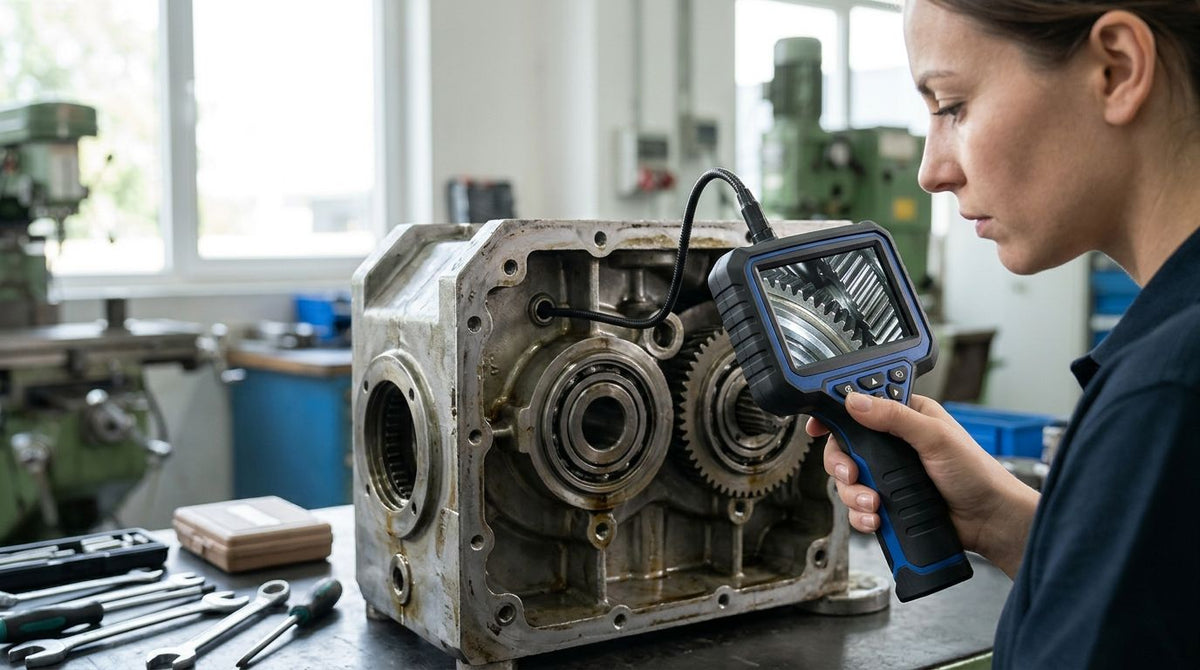
Video borescope image resolution is set by the weakest part of the image chain: probe optics first, then the camera, then the output you record. This guide sorts Fiberscope.net systems by how that chain is built, so you can match the image to the detail your job needs. Fiberscope.net sells the products discussed and services them in-house.
- Video borescope image resolution depends on probe optics and camera together, not on a single pixel number.
- Micro Video Borescope MICRON is the pick for the thinnest bores: 1.1 mm (0.04 in) and HDMI or USB 3.0 output.
- ImagePRO USB 3.0 and ImagePRO HDMI upgrade an optical scope you already own to a video image.
- Choose the output first: HDMI for a live monitor, USB 3.0 for laptop capture.
Why resolution on a spec sheet misleads
A camera that outputs a high pixel count still shows a soft image if the probe in front of it resolves less detail. Rod-lens relay optics in a rigid borescope pass a sharp image to the eyepiece. A fiberscope uses a coherent fiber bundle, and its image quality is set by the pixel count of that bundle, whatever camera sits behind it.
That is why this page ranks by image path rather than by one headline number. Take exact pixel counts and sensor sizes from each product page, and compare them against the smallest feature you need to see.
What makes a sharp video borescope image
Use these criteria to audit the list below before you buy:
- Probe optics: rod-lens relay (rigid), fiber bundle (fiberscope) or distal-tip sensor (video borescope). The type caps the detail.
- Probe diameter: a thinner probe fits smaller access and carries a smaller lens or bundle. Detail work often means trading width for sharpness.
- Camera or coupler: a video camera on an optical scope adds recording but cannot add detail the optics never resolved.
- Output: HDMI for a live monitor, USB 3.0 for capture to a laptop.
- Lighting: a dim image looks low-resolution. Light handles and sources matter as much as the sensor.
- Evidence needs: a photo for a report needs less than a close look at a weld toe or a bore wall.
Options at a glance
| System | Image path | Output | Best for |
|---|---|---|---|
| Micro Video Borescope MICRON | Micro video borescope, 1.1 mm (0.04 in) bore | HDMI, USB 3.0 | Ultra-thin bores, fine detail |
| ImagePRO USB 3.0 Borescope Camera | Camera on your optical scope | USB 3.0 | Laptop capture of rod-lens or fiberscope images |
| ImagePRO HDMI Borescope Camera | Camera on your optical scope | HDMI, live view only | Live monitor viewing |
| High Temperature Borescope Camera VOYAGER C40 | Articulating video probe | Display and recording | Heat-exposed engines and equipment |
| Rigid Borescope | Rod-lens relay optics | Eyepiece, add a camera | Straight-line access, sharp optical image |
1. Micro Video Borescope MICRON: detail in ultra-thin bores
Micro Video Borescope MICRON inspects bores with a 1.1 mm (0.04 in) diameter and outputs over HDMI or USB 3.0. It is the system to buy when the opening, not the budget, is the limit. Price from $11,100.
It suits gauge holes, injector passages, machined channels and similar small-bore work where a larger probe will not enter at all. It will not help in a pipe or a large cavity, where a wider probe with a bigger view serves better. Verdict: Buy for micro-bore detail work.
2. ImagePRO USB 3.0: sharp optics, captured on a laptop
The ImagePRO USB 3.0 Borescope Camera turns an optical borescope or fiberscope into a video borescope. Sharpness comes from the scope you attach, so pairing it with a good rod-lens borescope produces a better image than a cheap video probe. Price from $1,270.
It records to a computer over USB 3.0, which suits inspectors who document welds, castings and machined surfaces in reports. Verdict: Buy if you already own optical scopes.
3. ImagePRO HDMI: live monitor view
The ImagePRO HDMI Borescope Camera sends the image to an HDMI monitor with no capture. It suits a bench where two people look at the same part, and it cannot save footage. Price from $1,580. Verdict: Hold unless live viewing is the whole job; choose the USB 3.0 camera if you need recordings.
4. VOYAGER C40 high temperature: detail where heat rules out others
The High Temperature Borescope Camera VOYAGER C40 articulates (four-way on 3.3–16 ft probes, two-way on 20–26 ft probes) for inspection where simple borescopes fail. Price from $3,320. Use it for engines and equipment that stay hot. Verdict: Buy for heat-exposed work.
5. Rigid Borescope: sharp optics for straight access
The Rigid Borescope uses rod-lens relay optics and needs a light source, either through a light guide or a handle. It gives a clean optical image in straight bores and cavities, and it cannot turn a corner. Price from $378. Verdict: Buy as the low-cost starting point, with a camera added for recording.
What you'll also need
Resolution drops fast in poor light, and a camera needs a way to attach. A USB Borescope Camera is an accessory that captures an optical scope with a 32 mm eyepiece; it has no probe of its own. Add a light handle such as the SPARK or the MS-LED light source for rigid and fiber scopes.
How to pick by job
Start from the opening and route, then work back to the image. Our guide to inspection cameras ranked by probe diameter covers the access side. For broader industrial choices, see best industrial borescopes.
- Fine detail in a hole under 0.08 in (2 mm): MICRON.
- Weld and casting documentation: rigid borescope with ImagePRO USB 3.0.
- Hot engine or equipment: VOYAGER C40.
- Shared viewing at a bench: ImagePRO HDMI.


Other options
If you need measurement and a long-established industrial standard, Evident IPLEX and Waygate Mentor Visual iQ videoscopes are the benchmark, with measurement features and a service network. They cost more, and they suit aerospace and heavy industrial teams more than a general inspection kit.
Common mistakes
- Buying on a camera pixel count while the probe optics limit the image.
- Choosing HDMI output, then finding out you needed recordings.
- Skipping a light source, then blaming the camera for a dark image.
FAQ
Does a higher camera resolution always give a sharper borescope image?
No. The probe optics set the ceiling. A camera can record only the detail the lens or fiber bundle delivers.
Can I add video to my existing rigid borescope?
Yes. A camera such as the ImagePRO USB 3.0 or the USB Borescope Camera attaches at the eyepiece and records the image.
Which output should I choose, HDMI or USB 3.0?
HDMI shows a live image on a monitor. USB 3.0 captures video to a laptop. The ImagePRO HDMI camera has no capture.
What is the smallest bore Fiberscope.net covers with a video borescope?
The MICRON inspects bores of 1.1 mm (0.04 in). It outputs over HDMI or USB 3.0.
Is a fiberscope image as sharp as a rigid borescope image?
A rigid borescope's rod-lens optics generally give a cleaner optical image. A fiberscope's quality depends on its fiber bundle pixel count, and it bends where a rigid scope cannot.
Send us your job details
Send us your access opening, route, insertion length, viewing direction and whether you need recording, and a Fiberscope.net specialist will match the right system. Call 1-877-613-2210, Monday to Friday, 8:00 to 18:00 CST.
About the author. Vladimir Khubiryants founded Fiberscope.net to give professionals access to reliable video inspection equipment without enterprise pricing. For over 20 years he has sourced and tested borescopes, sewer cameras and fiberscopes in Fiberscope.net's in-house test and repair facility, helping plumbers, pipeline engineers, aviation and military teams choose the right tool for the job.

Leave a comment
This site is protected by hCaptcha and the hCaptcha Privacy Policy and Terms of Service apply.