

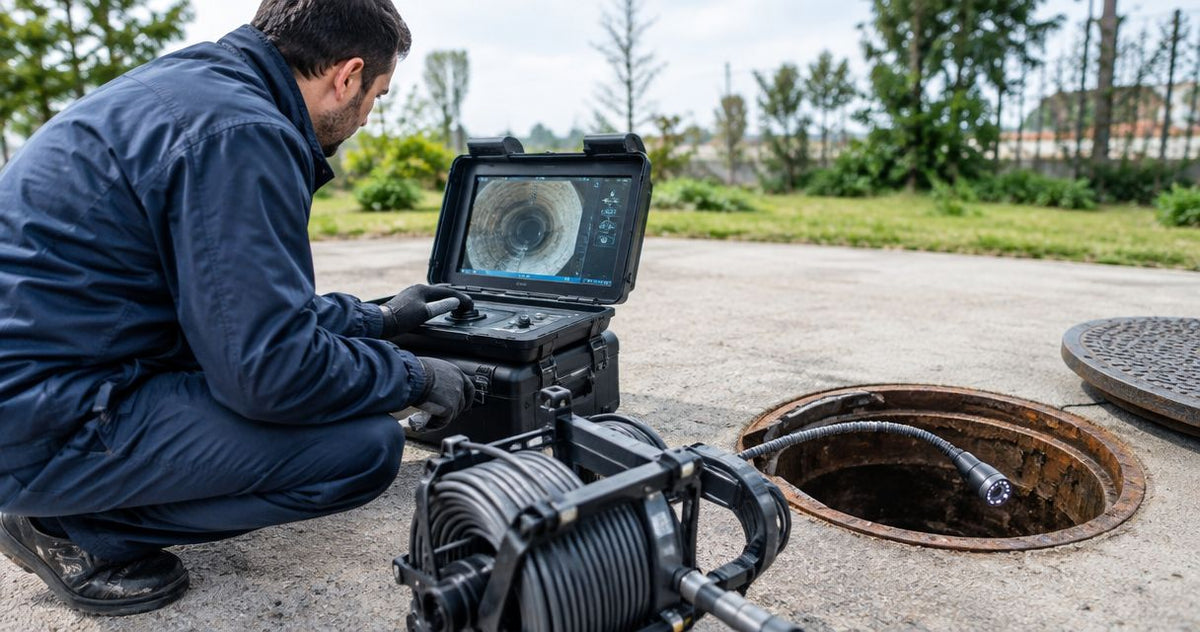
Yes, a pan-and-tilt sewer camera is worth it when your mainline work requires close views of joints, lateral connections and localized defects, and the deployment system can reach them. For contractors inspecting 6–24-inch mainlines, the purchase decision starts with access, travel and camera positioning. A steerable view helps you examine a suspicious area; cable pushability or powered travel determines whether you can get there. Buying for head movement alone leaves the harder part of the job unresolved.
Choose pan-and-tilt for detailed condition assessment, a straight-view system for suitable screening jobs, and powered travel when the route requires it. Fiberscope.net sells sewer inspection equipment and services it in-house. Start with the application requirements in this guide to choosing a sewer camera for municipal contractors.
Is a pan-and-tilt sewer camera worth it for mainline work?
Pan-and-tilt earns its place when a 6–24-inch mainline inspection needs deliberate views of the pipe wall, joints and connections. Its value comes from the evidence you capture at each observation, while deployment determines the section you can inspect.
Pan changes the camera's horizontal viewing direction; tilt changes its vertical viewing direction. Together, those movements let you stop beside an observation and aim the lens toward it. The available movement depends on the particular head.
Use the following decision table to separate viewing requirements from travel requirements. These are equipment classes, rather than pipe-size ratings for individual systems.
| Equipment class | Job it suits | Main advantage | Practical limit |
|---|---|---|---|
| Straight-view push camera | Screening an accessible line and checking the forward route | Simple forward inspection | Close wall views depend on camera position and optics |
| Pan-and-tilt push camera | Examining joints and connections within a pushable route | Directed views while the head remains stationary | Cable mechanics govern travel |
| Pan-and-tilt crawler | Detailed inspection where powered travel suits the route | Independent travel and directed viewing | Requires suitable access, traction and retrieval planning |
| Pole-mounted zoom camera | Screening straight mainlines from a manhole | Views into the line from the access point | Assessment depends on the visible line of sight |
- For a pan and tilt sewer camera mainline purchase, match deployment to the route before choosing head movement.
- Pan-and-tilt helps examine joints and lateral connections; powered travel determines a crawler's movement.
- Fiberscope.net matches sewer inspection equipment to access, reach, pipe size and required evidence.
When does directed viewing justify the extra equipment?
For 6–24-inch mainline condition assessment, directed viewing is useful when a forward pass reveals an observation that needs closer examination. Think about the decisions your footage must support: cleaning, further investigation, repair planning or acceptance of completed work.
A lateral connection is a useful example. A forward view establishes its position along the run. Stopping at the connection and directing the camera toward its opening gives you a more useful view of the surrounding joint and visible intrusion.
The same approach applies after lining. You need an overview of the inspected section, followed by deliberate views of connection openings and visible irregularities. Camera positioning, lighting and lens cleanliness still control how much detail reaches the recording.
Buy directed viewing for a repeatable inspection task. Write down the observations your crew routinely struggles to document with its current camera. That list gives you a practical demonstration brief and keeps the equipment choice tied to work you actually perform.
Choose travel before choosing head movement
On a 6–24-inch mainline, pipe diameter alone leaves the travel question unanswered. Access geometry, bends, deposits, water conditions and the distance to the observation all affect deployment.
A push camera advances through force applied to its cable. Bends and wall contact affect how that force reaches the head. A pan-and-tilt head changes where you look, while the cable continues to govern how you advance and retrieve it.
A crawler uses powered travel. That makes it a separate deployment choice, with its own requirements for access, traction, cable management and recovery. Compare those requirements in the guide to whether a pipe crawler is worth it for municipal mainline work.
Before arranging a demonstration, prepare a route description:
- Access: manhole or cleanout dimensions, entry angle and working space.
- Route: section length, bends, changes in diameter and known obstructions.
- Conditions: flow, deposits, pipe material and cleaning status.
- Evidence: overview footage, connection detail, locating and reporting requirements.
- Recovery: how the crew will retrieve the equipment if forward progress stops.
This route description is more useful than asking for the longest reel. Match usable travel to your route, then choose the viewing functions that support the inspection.
Why the value of pan-and-tilt varies between jobs
Two contractors inspecting 6-inch pipe can need different equipment because their access, observations and deliverables differ. The useful comparison is the complete inspection task, from deployment through the finished record.
- Required detail: a general screening pass and a close examination of a connection demand different views.
- Camera position: centering and stable support affect the view available when the head turns.
- Travel conditions: bends, deposits and cable friction influence a push camera's progress.
- Visibility: flow, suspended material, lens contamination and lighting affect the recorded detail.
- Reporting obligations: the client's required observations and file format determine what the operator must capture.
- Frequency of use: recurring detailed assessments support a different ownership decision from an occasional specialist job.
Use rental or a demonstration to evaluate the task before committing to ownership. Fiberscope.net offers purchase, rental and demo options, with technical specialists matching equipment to the application.
Keep the evaluation consistent. Use the same access point, inspect the same route and ask each operator to document the same observations. Compare the resulting footage alongside deployment and retrieval requirements.
A mainline camera decision sheet
For work across 6–24-inch mainlines, record the smallest restriction and the largest inspection diameter separately. The restriction controls passage; the inspection diameter affects positioning, lighting and the useful view of the wall.
| Job variable | What to record | How it changes the equipment choice |
|---|---|---|
| Smallest access restriction | Actual clear opening and entry geometry | Sets the maximum deployable assembly size |
| Inspection diameter | Pipe size and diameter changes | Guides head support and lighting requirements |
| Required reach | Distance from access to the furthest observation | Sets the travel and cable requirement |
| Route geometry | Bends, junctions and offsets | Affects passage, cable friction and retrieval |
| Inspection objective | Screening, condition assessment or post-lining review | Determines the detail and viewing control required |
| Deliverable | Video, stills, location record and report format | Sets recording and documentation requirements |
Record dimensions for the assembled head and support arrangement. Skids, protective fittings and other attachments affect the envelope that must pass through the access point.
For a post-lining inspection, for example, list each connection that needs a close view and describe the access route to it. Then evaluate whether the camera can reach, stop, aim and record at those positions. That sequence exposes a poor match before the equipment reaches the jobsite.
What you'll also need for locating and documentation
A locating setup requires a sonde in the camera head and a separate receiver operating at the transmitter's frequency. For a 512 Hz camera sonde, select a receiver with 512 Hz reception; pan-and-tilt movement is a separate function.
A sonde is a small electromagnetic transmitter used to locate the head from the surface. Keep transmitter frequency and receiver capability as separate entries on your equipment sheet. This guide explains pairing a 512 Hz sonde camera with a locator.
Metal and rebar distort the locating field. Treat surface locating as its own operation, with attention to signal behavior and site conditions.
For documentation, establish the naming convention before the crew starts. Identify the line section, access point, travel direction and observation location so another reviewer can connect the close-up view to the correct part of the run.
Head support also deserves attention. A skid supports or centers the camera, and its fit must match both the head and the route. Include the assembled dimensions and retrieval behavior in the demonstration.
How to evaluate a camera on a representative mainline
For a demonstration on a 6–24-inch mainline, evaluate passage, positioning and evidence in that order. Use a route that represents your ordinary work and follow the equipment manufacturer's operating instructions.
- Prepare the route. Record access, pipe size, flow and known restrictions. Establish the inspection and recovery plan with the crew.
- Assess forward travel. Observe how the assembly enters the pipe and advances toward the target area. Track where friction or traction changes.
- Stop at an observation. Position the head beside a joint or connection and direct the view toward the area of interest.
- Evaluate the image. Check whether the lens position, lighting and focus reveal the detail needed for the inspection decision.
- Record and review. Capture an overview and close views, then play back the files through the intended reporting workflow.
- Retrieve the assembly. Evaluate return travel and handling through the access point, including the head and support arrangement.
Ask the operator to return the head to a useful forward view before advancing. Consistent orientation makes it easier to understand the route and associate detail footage with the surrounding pipe.
The strongest demonstration ends with a usable inspection record. Review the files with the person who accepts or prepares the report, as well as the crew operating the camera.
Common purchasing mistakes
For a 6–24-inch mainline assignment, separate the viewing specification from the deployment specification. A pan-and-tilt push camera remains a push camera; powered travel requires a crawler.
Another mistake is comparing reel length with required reach and stopping there. Cable length describes how much cable is available. Route geometry, friction, head support and deployment method determine how you use it.
A third mistake is choosing from live images alone. Recorded detail must remain useful during playback and reporting. Include file transfer, observation identification and review in the acceptance test.
Finally, treat maintenance as part of ownership. Ask about head servicing, cable repair, seals, cleaning procedures and the turnaround arrangements your crew needs. Fiberscope.net provides in-house testing, repair and technician support.
FAQ
Can a pan-and-tilt camera inspect a lateral from the mainline?
Pan-and-tilt can direct the view toward a lateral opening from the mainline. Inspecting along the lateral requires equipment designed to enter and travel through that branch, such as a lateral-launch system.
Does a self-leveling camera do the same job as pan-and-tilt?
Self-leveling keeps the displayed image upright, while pan-and-tilt changes the direction the camera looks. Choose those functions according to the orientation and detail your inspection requires.
Can pan-and-tilt footage measure a crack?
Dimensional measurement requires a suitable measurement system and its prescribed procedure. A close visual view helps document the observation; assess measurement capability separately when sizing affects the decision.
Should I clean the mainline before inspecting it?
Choose cleaning according to the inspection objective and site conditions. Deposits can obscure the wall, while an initial inspection can help document the line's condition before cleaning.
Can a sewer camera inspect below the waterline?
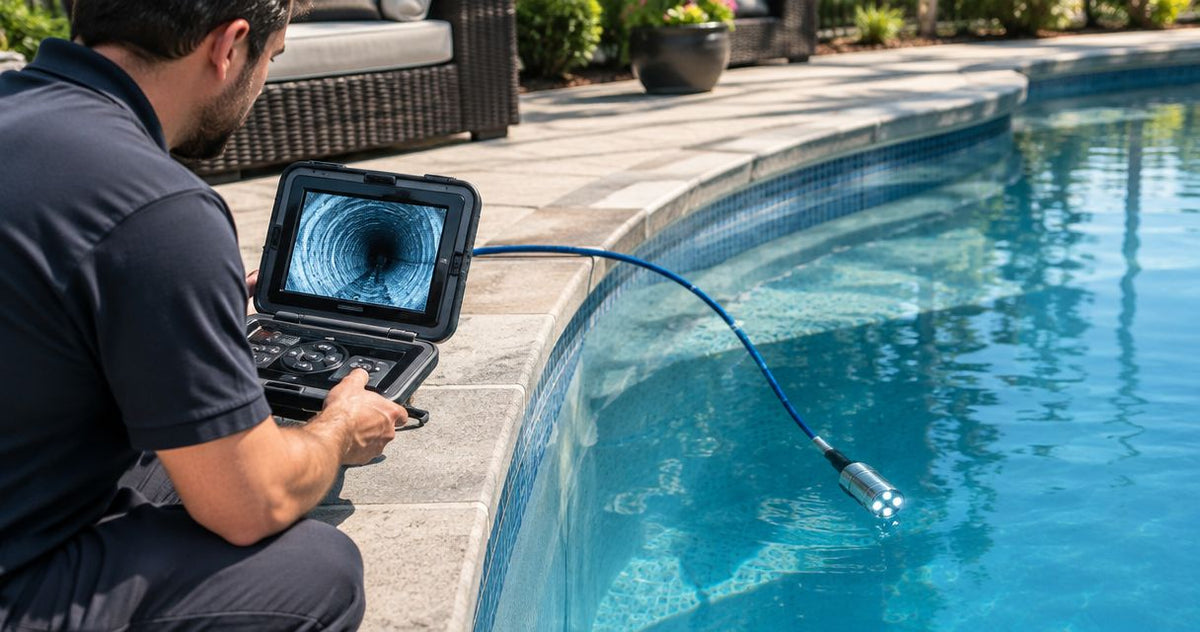
Submerged inspection depends on the rated camera components, operating conditions and water clarity. Match immersion ratings to the job and account for suspended material when planning the evidence you need.
Does a pan-and-tilt camera automatically produce a PACP report?
PACP reporting requires an inspection and reporting workflow that meets the project's requirements. Select recording, observation coding and reporting software alongside the camera hardware.
Match the camera to your next mainline assignment
For 6–24-inch mainline work, make the purchase decision around the route and the evidence your client needs. Fiberscope.net sewer camera configuration support suits contractors matching access, travel and directed viewing to a defined inspection job.
Send Fiberscope.net your pipe ID, access dimensions, run length, bends, pipe material, locating need and existing receiver frequency, plus recording and reporting requirements. A technical specialist will match the head and deployment system to the job. Call 1-877-613-2210.
Related guides
- How to verify a sewer line after jetting with a camera
- How to export sewer camera footage into NASSCO PACP reports
About the author
Vladimir Khubiryants, Founder & President, Fiberscope.net (MEDIT Inc.)
Vladimir Khubiryants founded Fiberscope.net to give professionals access to reliable video inspection equipment without enterprise pricing. For over 20 years he has sourced and tested borescopes, sewer cameras and fiberscopes in Fiberscope.net's in-house test and repair facility, helping plumbers, pipeline engineers, aviation and military teams choose the right tool for the job.

Leave a comment
This site is protected by hCaptcha and the hCaptcha Privacy Policy and Terms of Service apply.